Debugger setup
We're going to be using the debugger a lot in your course. We'd like you to install it ahead of time. Here's how.
Instructions
- Open your Cloud9 workspace.
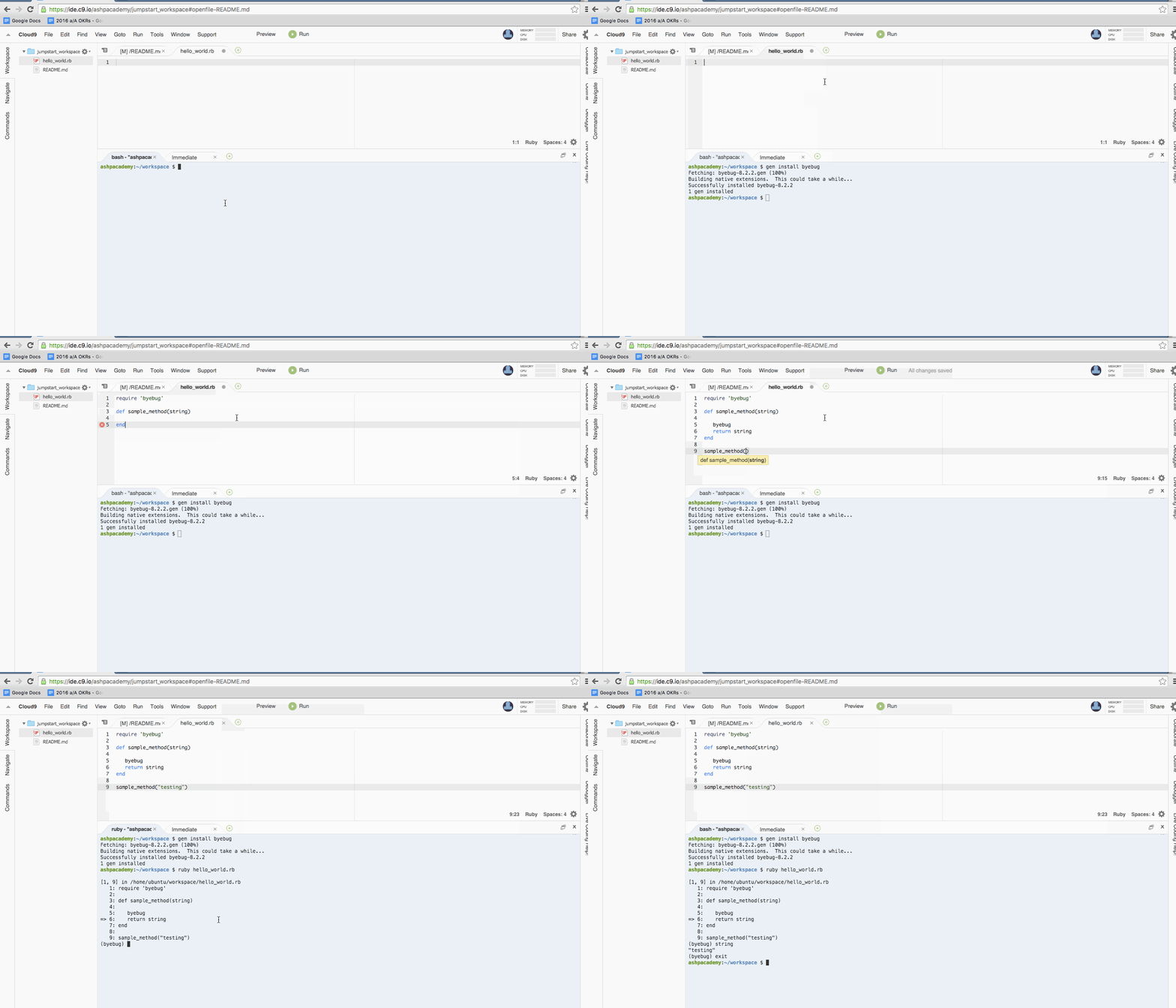
- In your console, run
gem install byebug. - Make a new file and
require 'byebug'at the top. - Test out that you can drop the word
byebuginto a sample function and that you can print out the argument. Make sure you return something from the function. - Make sure you've saved your file.
Note: If you are using Terminal on a Mac instead of Cloud9, you need to set up ruby version control before installing any gems.
If you're confused, see below: